
What’s New in Bank of Dad: Age Modes, Savings Match, Allowance Splits and More
In two days we shipped age modes for kids from 5 to 17, a parent savings match, an allowance split into Spend, Save, Give and Invest, interest growth charts, and a redesigned dashboard. Here is what each one does, with screenshots.
Bank of Dad is a pretend savings bank for your kids: you set the rate, they watch their money grow. In the last couple of days we shipped the biggest batch of changes yet. The common thread is that the app now grows up with your child, and gives you more ways to teach saving instead of just recording it. Here is the tour, with real screenshots.
A calmer, clearer parent dashboard
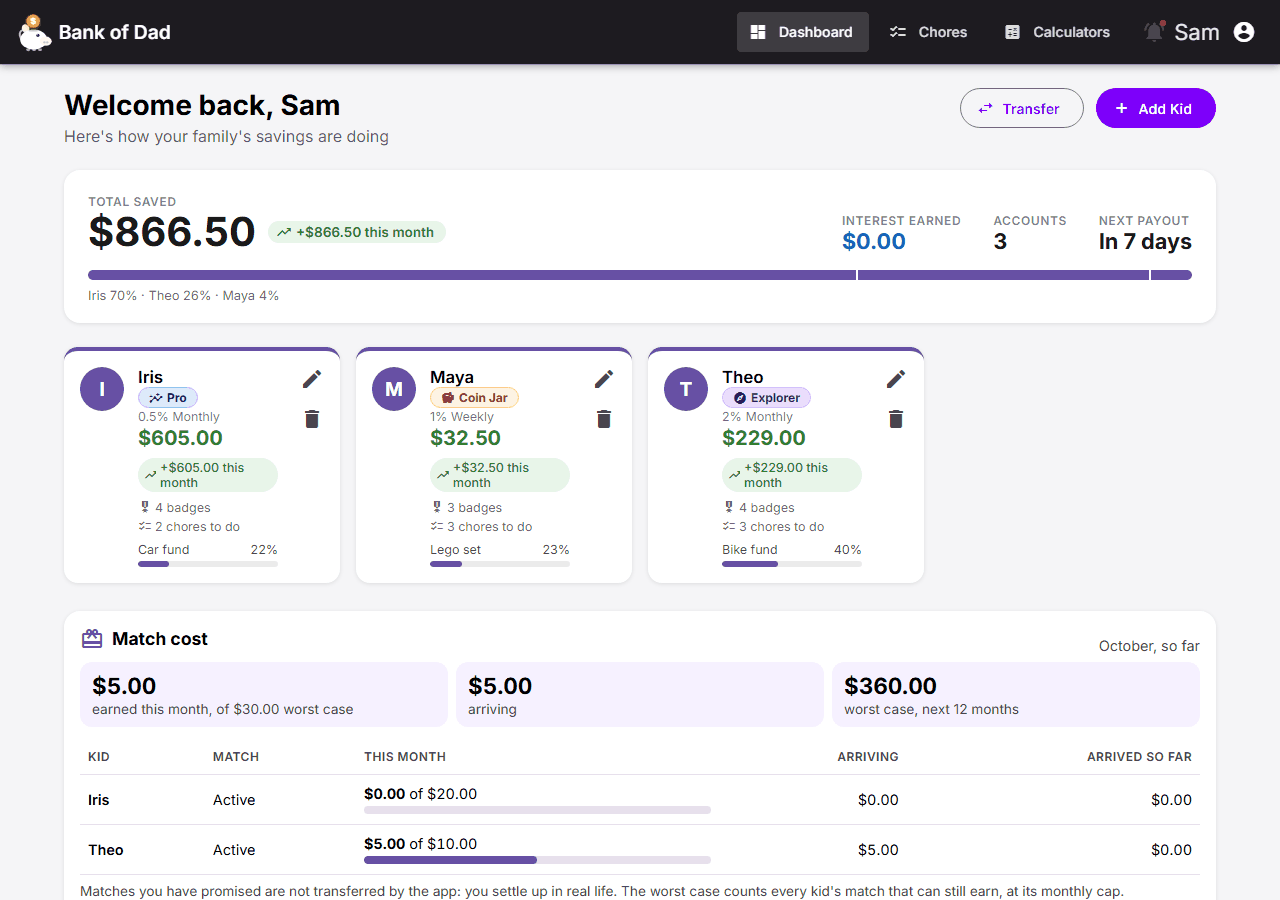
The dashboard now opens with one number: total saved across the family, with how it splits between kids, what interest has been earned and when the next payout lands. Each child gets a card showing their balance, their age mode, badges, chores waiting and progress toward their savings goal. Anything that needs you, like a chore to approve, collects in an attention rail so nothing hides.
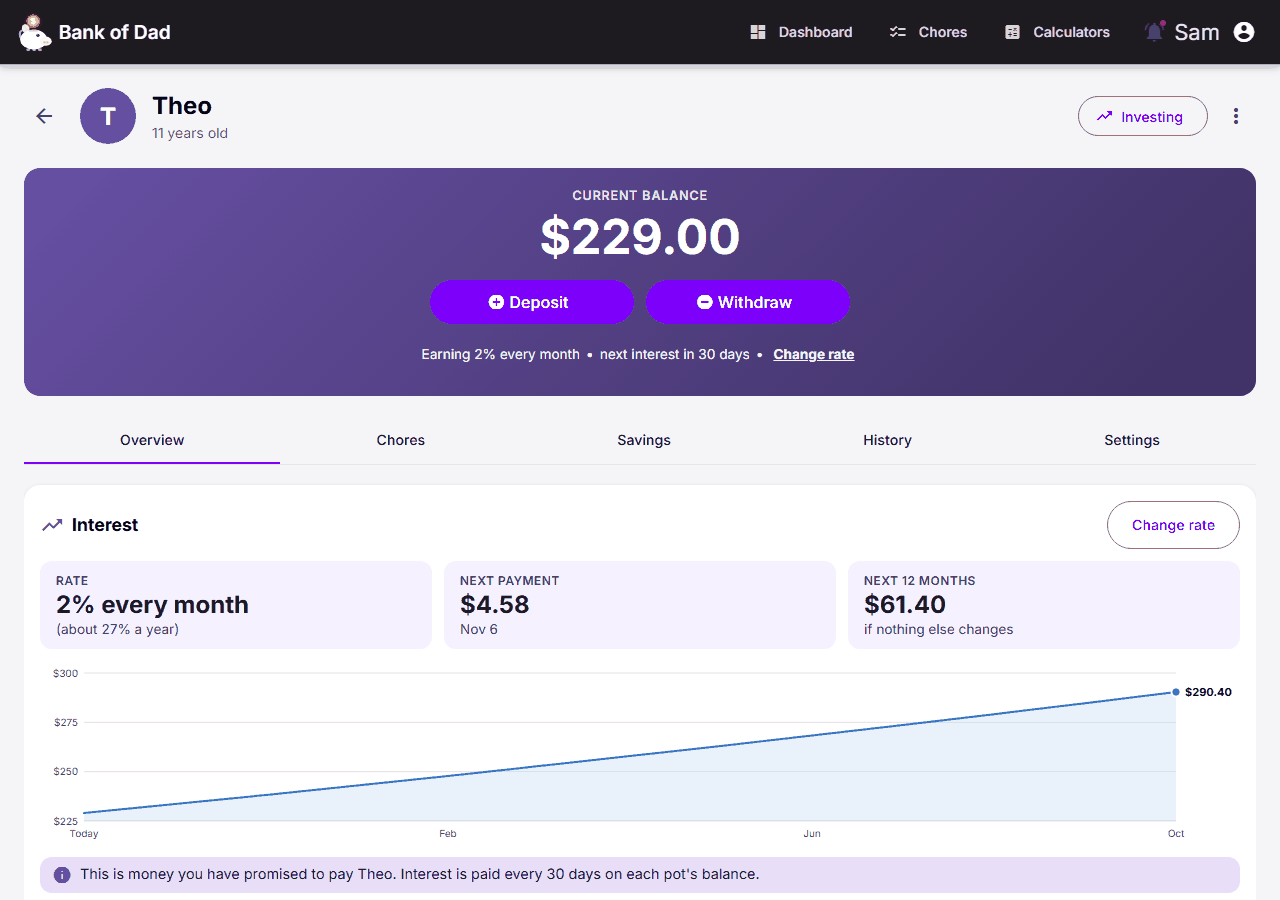
Each kid’s own page got the same treatment: balance first, a tighter overview, and the settings (rate, access, allowance) in their own tab instead of crowding the top.
Age modes: Coin Jar, Explorer and Pro
A six-year-old and a fifteen-year-old should not see the same screen. Each child now gets an experience that fits their age. The suggested mode comes from their birthday, you can change it per child, and you can fine-tune single features. Their money, history and badges carry over when they move up.
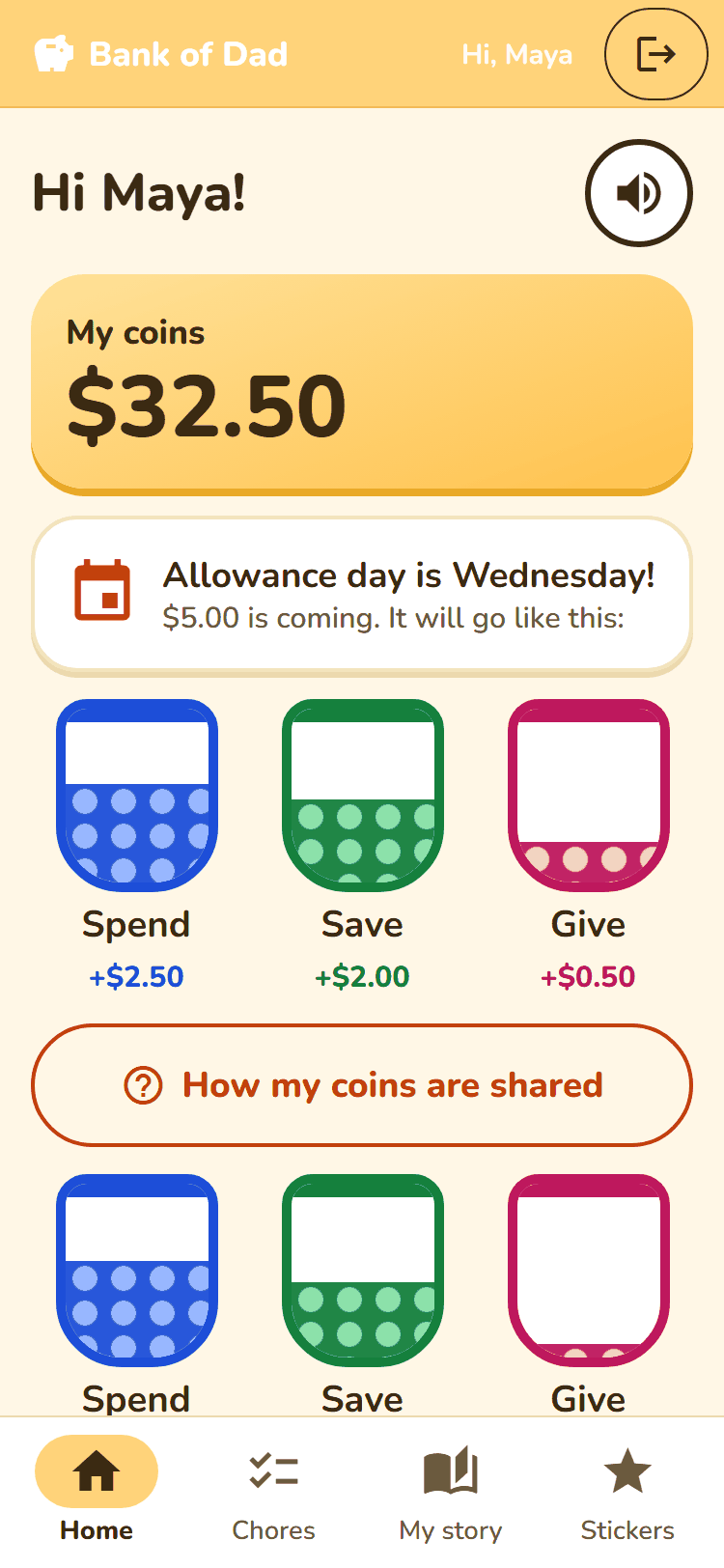
- Coin Jar (about 5 to 8): jars, picture chores, read-aloud and a sticker book. No percentages anywhere.
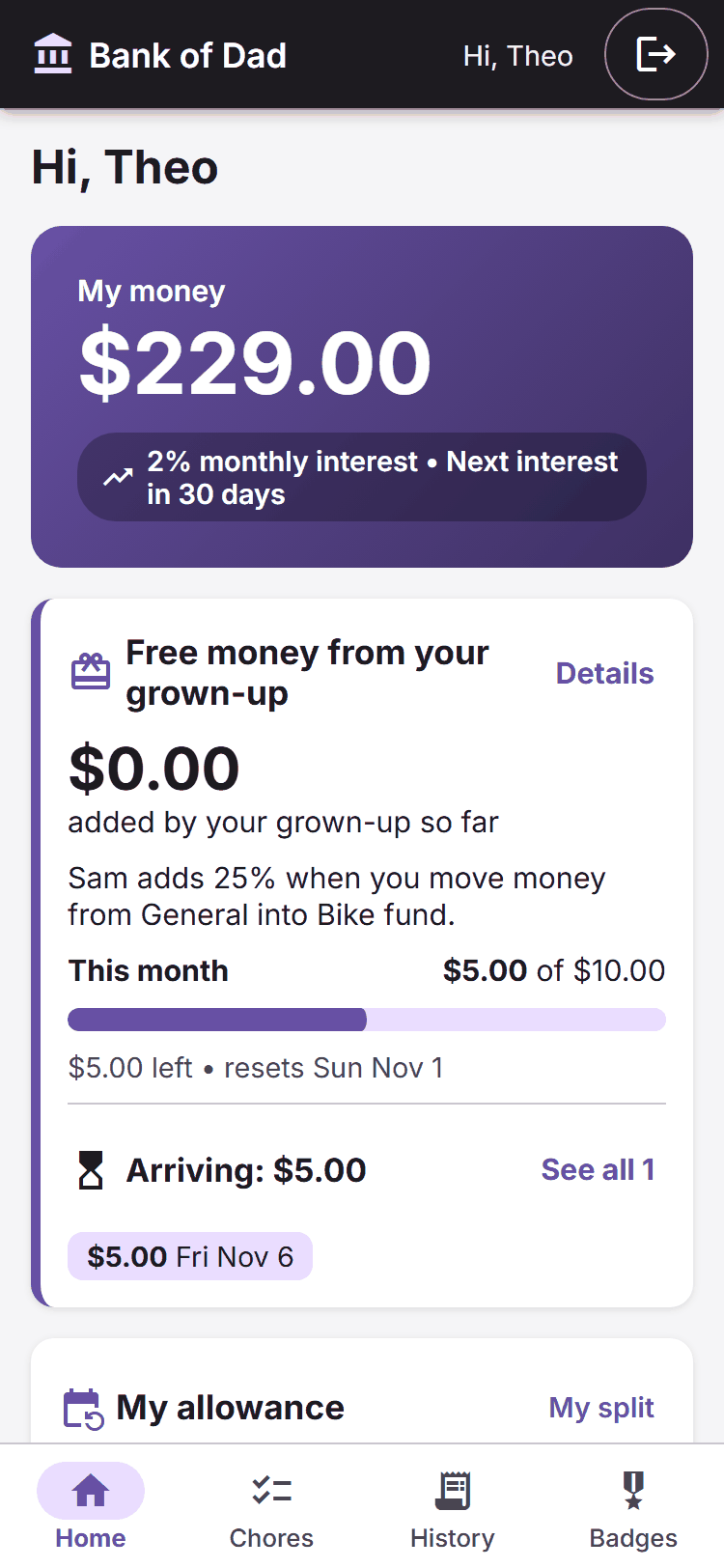
- Explorer (about 9 to 13): the classic Bank of Dad, with history, chores and badges.
- Pro (about 14 to 17): an overview with a projection chart, earnings and activity tables, history search, CSV export, and transfers that show the balances afterwards.
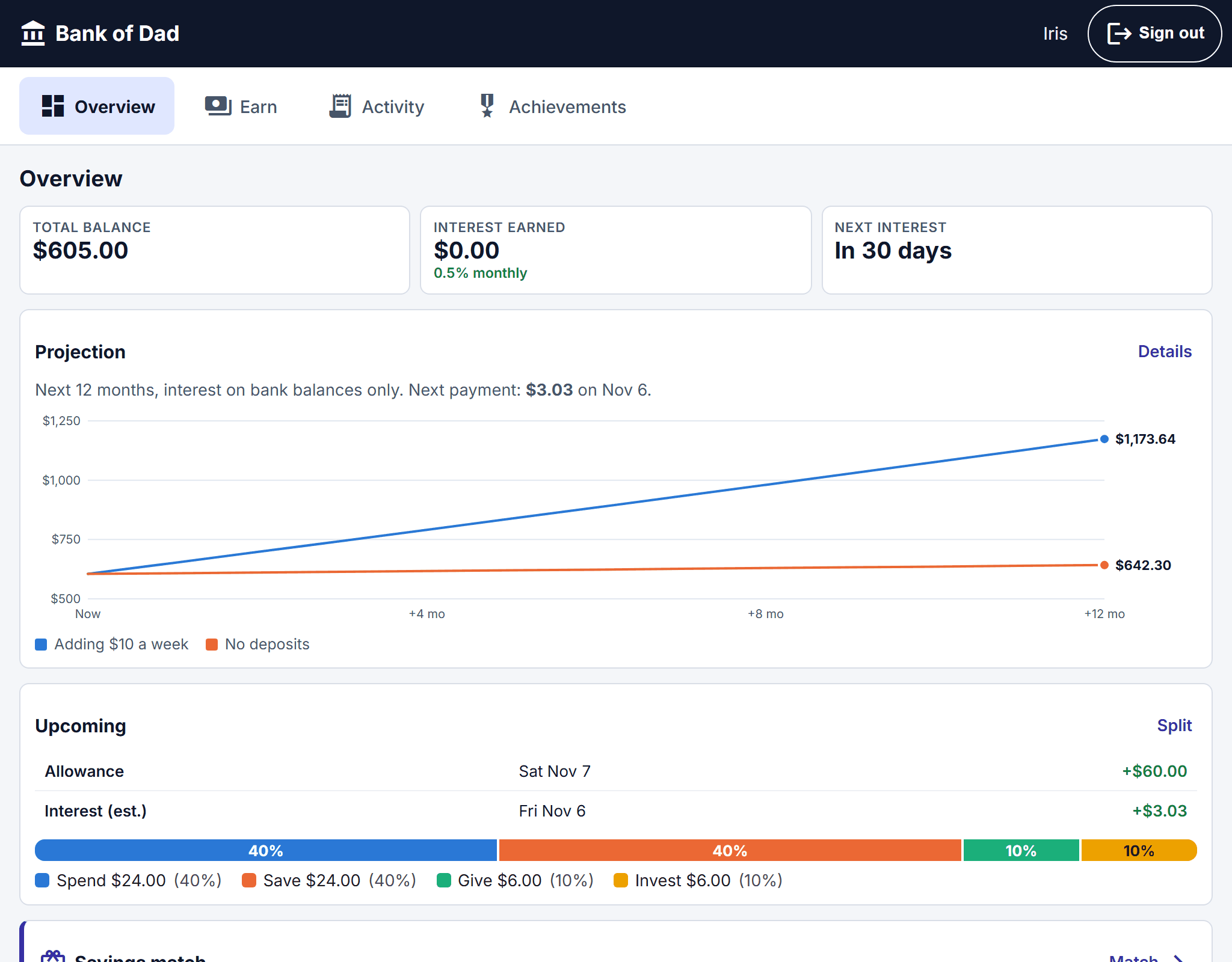
Split allowance into Spend, Save, Give and Invest
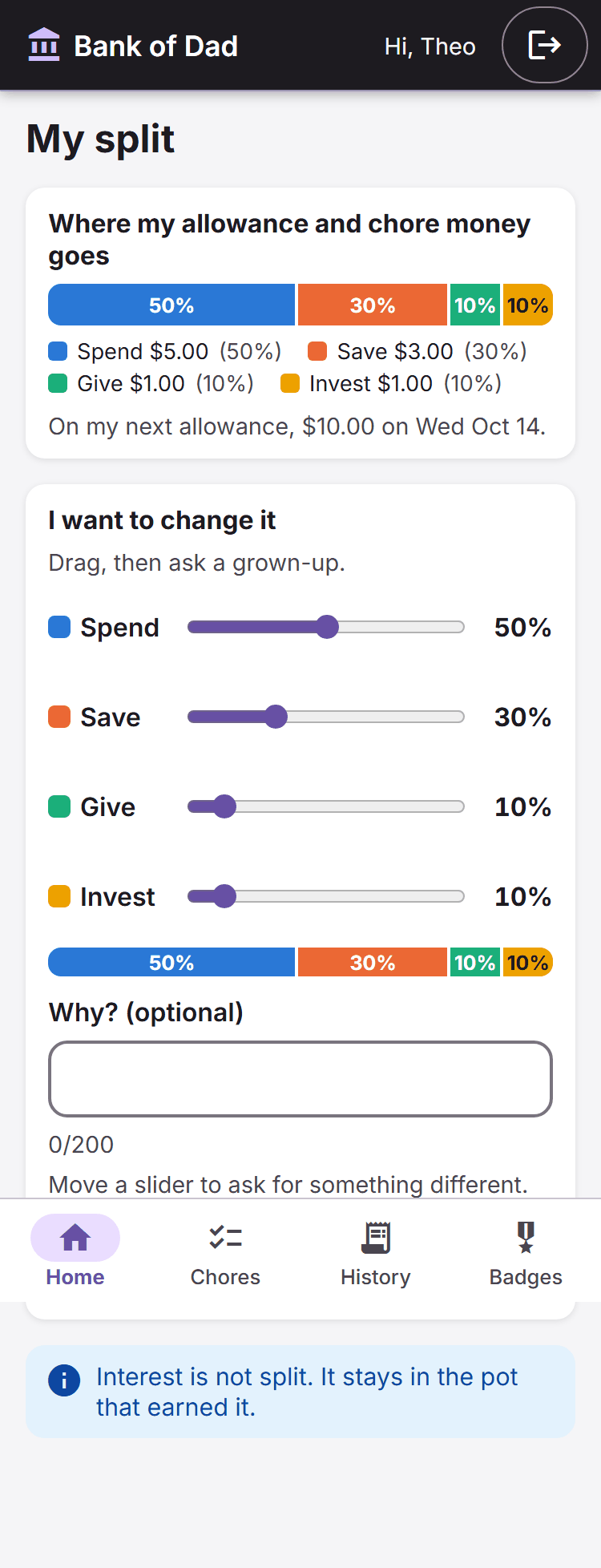
Allowance can now be divided automatically. Pick a split (there is a starter preset of 50/30/10/10) and every allowance and chore payout lands in the right pots. Kids see exactly where their money goes, and can ask to change the split; a grown-up approves it, adjusts it or declines. Interest is not split: it stays in the pot that earned it.
Savings match: you add to what they save
Banks pay interest; employers match retirement savings. Now you can match your child’s saving the same way. Choose a percentage of new savings (5% to 100%), a monthly cap, and an optional hold of up to 90 days before the match arrives. Moving money out before the hold ends forfeits it, and kids get a clear warning first. You can also run a boost for a limited time.
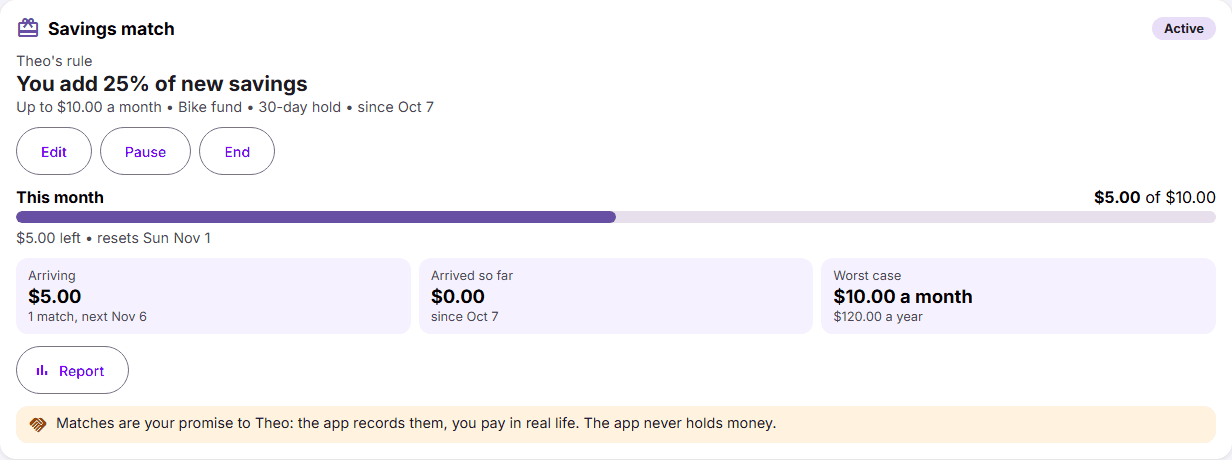
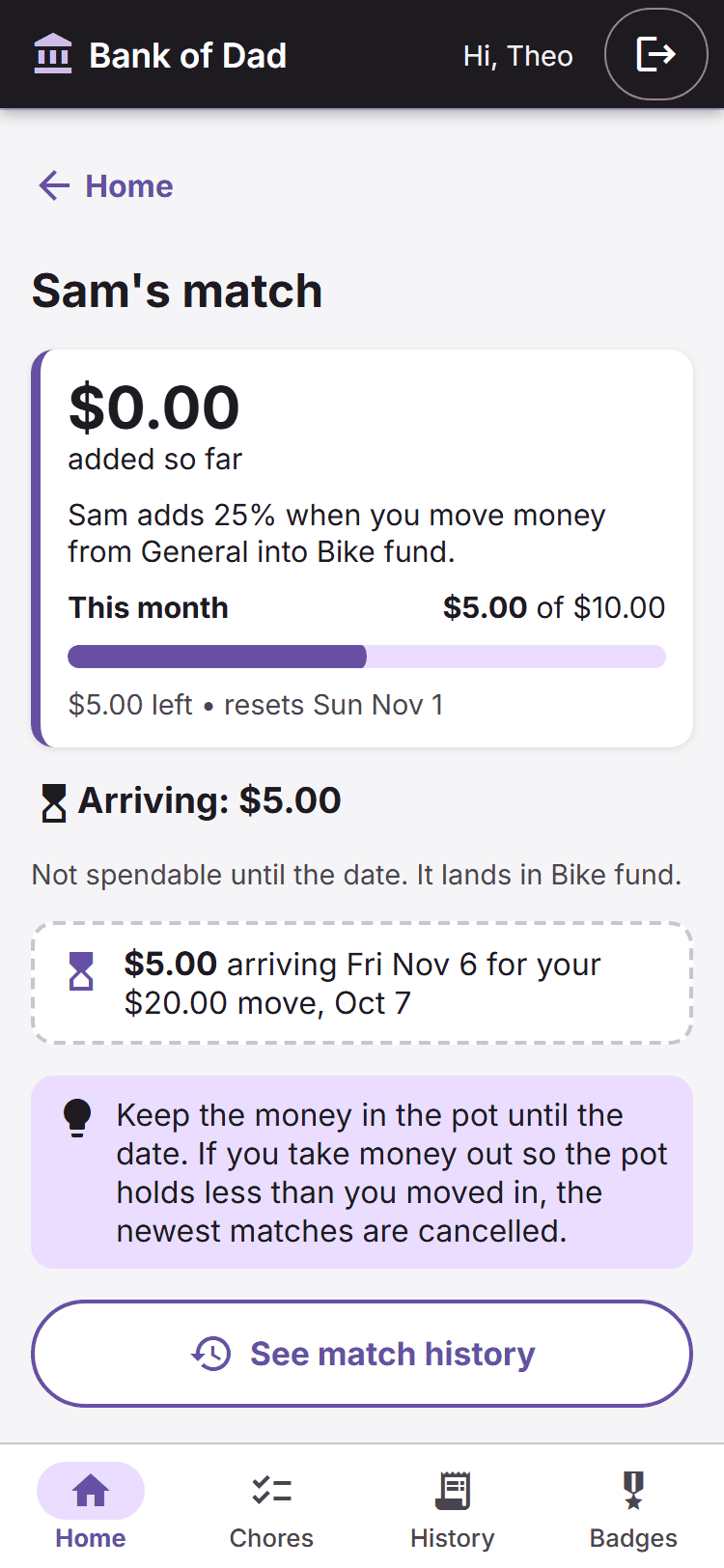
There is a cost panel on your dashboard too, showing what the match has cost this month and the worst case for the next twelve months, so a generous promise never surprises you. The app does not move real money: you settle up in real life.
See how money grows
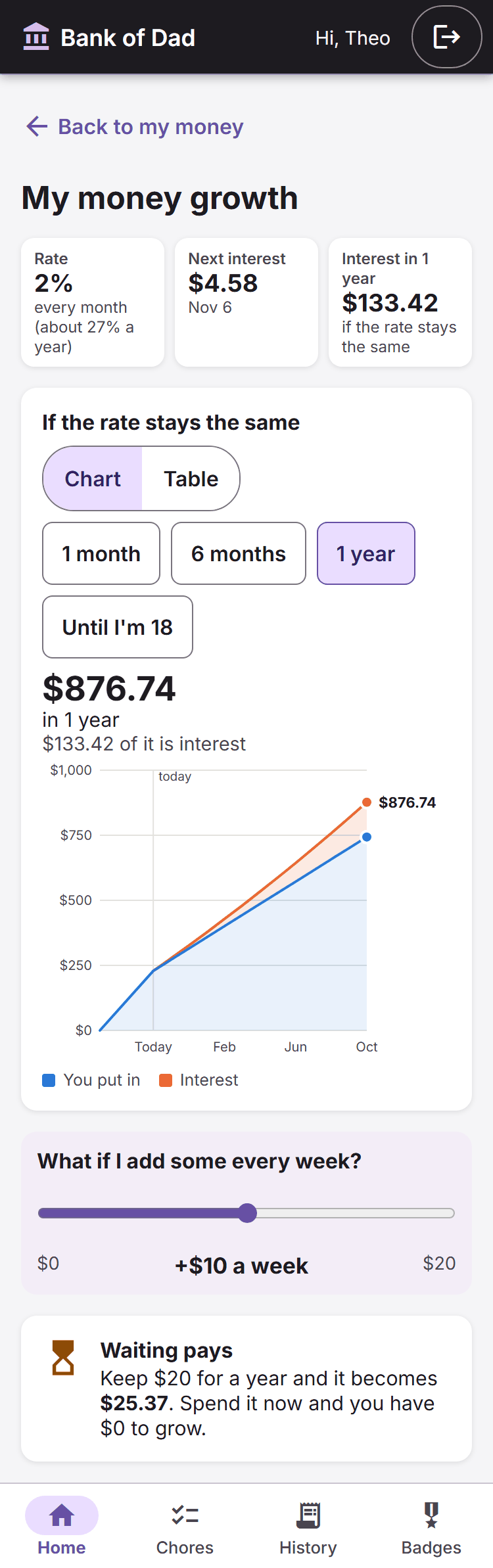
Kids can now see what their savings become if they leave them alone, and what a little extra each week does. Explorer gets a growth chart with a “what if I add some every week?” slider. Coin Jar kids watch jars fill with “grown coins”. Pro gets deposit scenarios with a month-by-month table and a CSV download. For a deeper look at the idea, try the compound interest calculator.
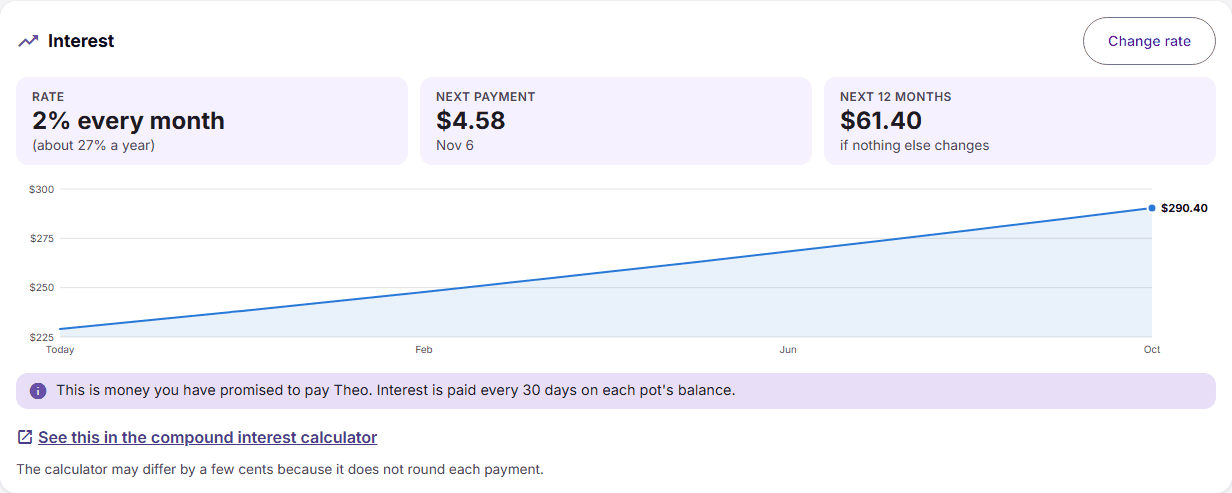
Grown-ups get an Interest card on each kid’s page showing what the rate will cost over the next twelve months, plus a plain caution when a rate is unusually high. It uses the same calculation that pays the interest, so the forecast is the real number.
Badges with a story
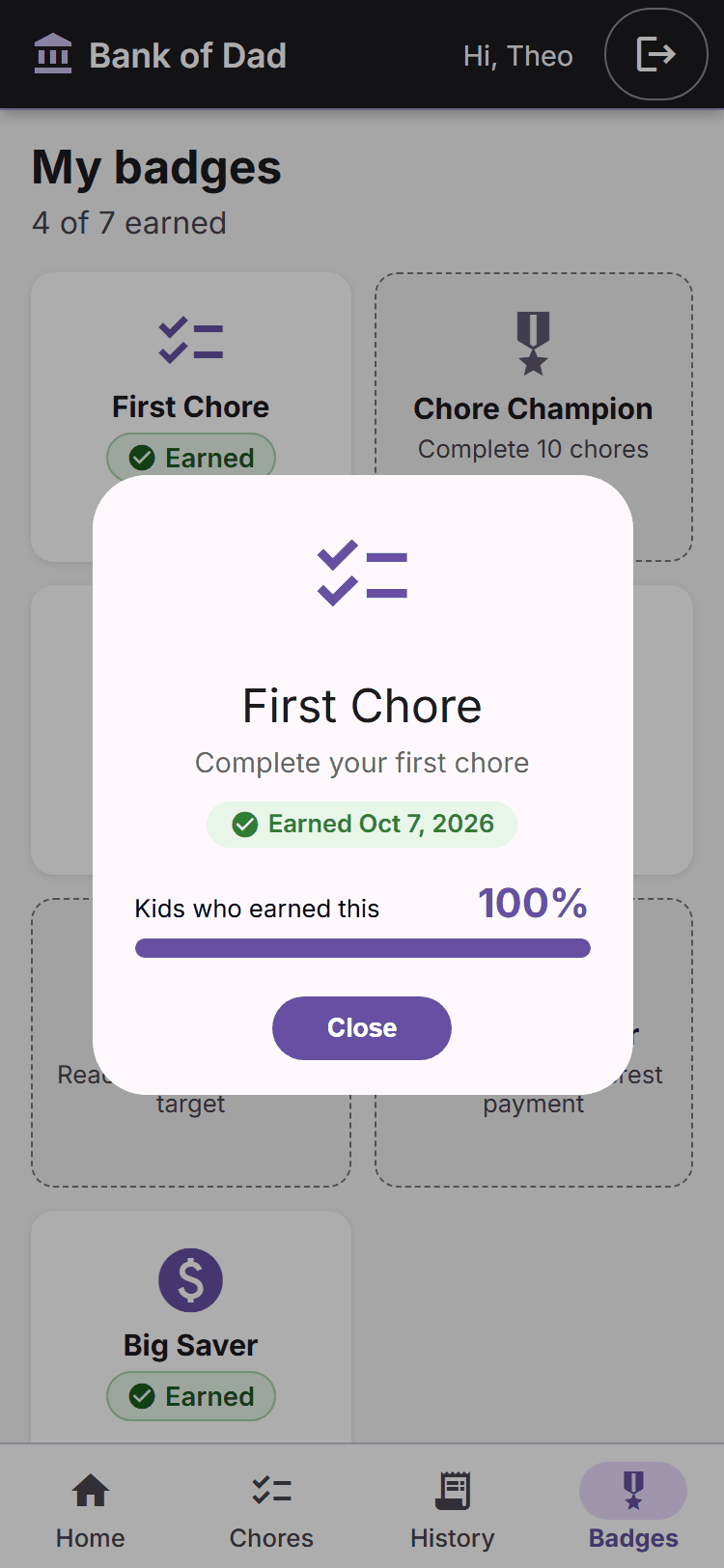
Tap a badge and you now see when it was earned and how common it is across Bank of Dad.
Small things that matter
- Kid names are no longer cut off on dashboard cards.
- Kids sign in with a family code and PIN, and parents can quick-switch with their own PIN on a shared device.
- Under the hood, ids are now unguessable GUIDs instead of simple numbers.
Want to try it? Create a free account, add a child, and the right mode is suggested from their birthday. Looking for ideas on how much to start with? See allowance by age.
Put it into practice
Bank of Dad gives each of your kids a savings account you control — set an interest rate, log deposits and withdrawals, and let them watch the balance grow. It is free, and there is no card or monthly fee.
Create your family bank